




arrow Products
Glide CMS image Glide CMS image
Glide CMS arrow
The AI-boosted headless CMS for media, sports and entertainment. MACH architecture gives business freedom, AI gives prompting power.
Glide Go image Glide Go image
Glide Go arrow
Ready to go enterprise sites for media and large audience projects. Select styles, choose components, add content, Go. Glide CMS, AI, hosting, support, maintenance included.
Glide Nexa image Glide Nexa image
Glide Nexa arrow
AIP with audience authentication, entitlements, and preference management in one system designed for media and content businesses with engaged audiences.
For your sector arrow arrow
Media & Entertainment
arrow arrow
Built for any content to thrive, whomever it's for. Get content out faster and do more with it.
Sports & Gaming
arrow arrow
Bring fans closer to their passions and deliver unrivalled audience experiences wherever they are.
Publishing
arrow arrow
Tailored to the unique needs of publishing so you can fully focus on audiences and content success.
Use cases arrow arrow
Technology
arrow arrow
Unlock resources and budget with low-code & no-code solutions to do so much more.
Editorial & Content
arrow arrow
Make content of higher quality quicker, and target it with pinpoint accuracy at the right audiences.
Developers
arrow arrow
MACH architecture lets you kickstart development, leveraging vast native functionality and top-tier support.
Commercial & Marketing
arrow arrow
Speedrun ideas into products, accelerate ROI, convert interest, and own the conversation.
Technology Partners arrow arrow
Explore Glide's world-class technology partners and integrations.
Solution Partners arrow arrow
For workflow guidance, SEO, digital transformation, data & analytics, and design, tap into Glide's solution partners and sector experts.
Industry Insights arrow arrow
News
arrow arrow
News from inside our world, about Glide Publishing Platform, our customers, and other cool things.
Comment
arrow arrow
Insight and comment about the things which make content and publishing better - or sometimes worse.
Expert Guides
arrow arrow
Essential insights and helpful resources from industry veterans, and your gateway to CMS and Glide mastery.
Newsletter
arrow arrow
The Content Aware weekly newsletter, with news and comment every Thursday.
Knowledge arrow arrow
Customer Support
arrow arrow
Learn more about the unrivalled customer support from the team at Glide.
Documentation
arrow arrow
User Guides and Technical Documentation for Glide Publishing Platform headless CMS, Glide Go, and Glide Nexa.
Developer Experience
arrow arrow
Learn more about using Glide headless CMS, Glide Go, and Glide Nexa identity management.

How to create engaging news products that make readers stick around

People are what make engaging products, not tech. Technology helps, but how you set up your teams and processes is what turns slow progress to fast.
by Rich Fairbairn

Published: 13:24, 11 March 2026
The most engaging news apps in the UK show similarities in approach.

A version of this article first appeared on the International News Media Association's (INMA) Content Strategies blog.

Studying recent audience engagement figures for the UK’s top news sites and apps, I was unsurprised to see that the top three for hours spent on average in the app, per user, are all publishers we work with.

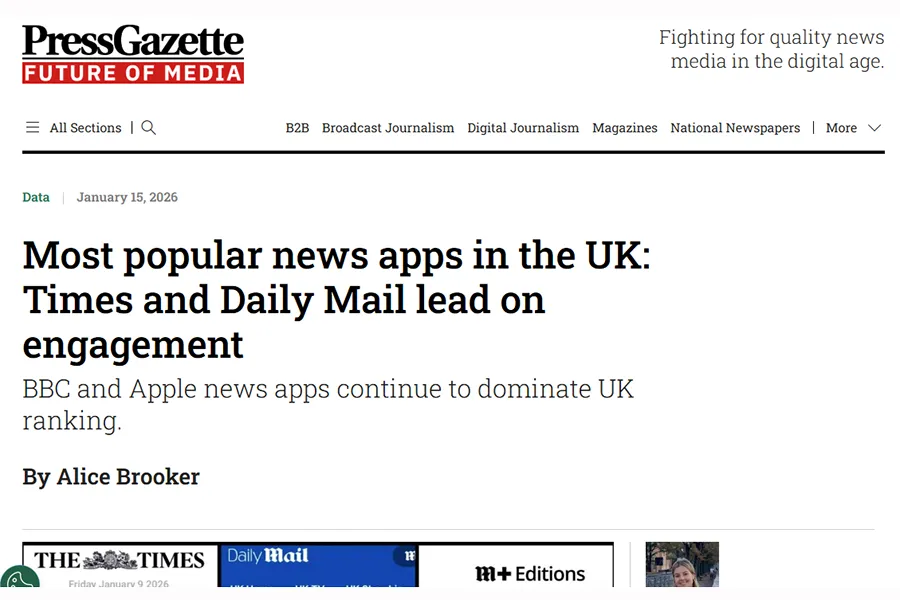
We're lucky to work with a number of publishers on the list, compiled by industry title Press Gazette, which reported that the Daily Mail and The Times have the most engaged app users of any news brands in the UK, using Ipsos data. 

It reveals numbers which are a thundering lesson in finding what makes people stick around; the Mail+ app tops the table with users spending each on average a tectonic 12.6 hours per month in the app, with The Times app readers in second spot with an equally aeonic 9 hours per month per user, and the Daily Mail app 6.5 hours.

Head to Press Gazette for the full 50, and lots of other interesting stats and facts about media consumption.

News App Total Mins (millions)
Per reader hrs/month
Mail+
167.8m
12.63hr
The Times / The Sunday Times
392.2m
8.99hr
Daily Mail
551.7m
6.53hr
The NYT Crossword
299.4m
6.3hr
The Telegraph UK
394.7m
6hr
AOL (News, Mail & Video)
359m
5.7hr
The Guardian
424.5m
3.15hr
i Paper
28.5m
2.8hr
Readly
43.2m
2.15hr
Mirror
22.3m
1.9hr


The full list of the Top 50 is split and ranked in multiple interesting ways and shows starkly the competition for attention media brands face, and how engagement swings wildly across similar apps by rates which defy comparable brand circulation or traffic stats metrics.

It also highlights that amid the race to unlock features such as AI inside products in ways that audiences might actually like, "old favourites” like puzzles are still fantastic at keeping people onboard: puzzles is a major feature in the Mail+ app, and the NYT Crossword app weighs in at No.4 overall for UK user engagement.

So how do they do it?

We've written many times before on why publishers are fighting to improve their attention metric and how others view it, but often the overriding impressions I take from events by industry bodies such as INMA is how smash hit products loved by users are rarely reliant on technology, and instead use tech simply to aid other more critical factors, which is how they are conceived and iterated.

So what have we seen, in working with brands like the above and lots of others just as impressive in their own space? Whether they use our tech or not I feel we get to be unique observers to how success comes about – always of interest to me as a former editorial bloke who looked at how to make readers stick around.

The Common Factors

Variety

Beyond delivering news, successful product teams look for ways to wrap an array of other content and experiences around the headlines, including longer more in-depth features, entertainment or games, and useful tools that set about trying to enhance the whole experience. As mentioned, the NYT Crossword app shows that even the “news” element can be set aside if the other parts succeed on their own merits.

Quick Checklist: Create a content model for a given piece of content, and try and hit every note. An example can be:

  • A written article with an arresting image, with all relevant SEO including good alt-text. That's a given.
  • Associated channel versions: make sure you have a snappy short headline or summary to send to your social media. This should be fully automatable.
  • A bulleted summary of the key points: great for more complex articles, and it's something which can be included elsewhere as content in its own right, such as a contents section write-off, or a newsletter highlight. Summaries allow you to fill entire targeted newsletters quickly: AI can help you create this instantly, and it's a standard feature in Glide CMS's native AI toolset GAIA.
  • Targeted related content - what's in your archive that ties in strongly as similar content, or as a backgrounder? Connect your readers to more you have done on a topic, good for engagement and topic authority too.
  • Video: video is rocketing up the foodchain of importance for media brands. What can you add to yours? It may be your own full length video, a short summary in the style of a shareable talking head with captions, or simply a YouTube link to an explainer from a trusted third party or a relevant social media video. Read more about making video a native part of your editorial workflow.
  • An audio version or tie-in: an audio version of an article opens up a completely new way to offer your stories and news to your audience. The natural progression would be unique presenter-led content such as a podcast, but as a toe in the water audio converters will take text content and create an audio file in moments for negligible cost. Glide GAIA Voice will do this automatically in a wide variety of languages and dialects. See how publishers are using GAIA Voice to enhance the content experience.
  • A gallery: we're assuming you have included a main image by default, but could this content benefit from an included gallery? It's a highly engaging element and a great way to echo the concept of related content and tap into your library or archive to show your deeper knowledge or authority.
  • Resources: what can you find that adds to the article and which helps arm or educate the person seeing it? Of course depending on the article type there may be no natural fit, but if the content fits into the YMYL Your Money Your Life category it's extremely likely there will be guides, forms, downloads, and resources created and made available by independent trusted sources.  

When you have all these boxes ticked, you'd have a superbly well-rounded presentation of content without having to raise your budgets by multiples to create. 

Added value

We see that successful product teams are obsessed over adding value, and studying what the app can deliver with regularity. A share price tracker, football gossip, bulletins etc, are all easy meat for any news org – but so can be useful things like an audio player with its own unique content style, recipe sections with calorie counters, and ratings and reviews with codes and discounts. Technology can unblock those things, but they make the cut because they are popular and quickly establish their own value to readers.

Quick Checklist: Much of this echoes the content model checklist, but elements which can work really well to give added context and information to subjects like health and money include:

  • Infographics: visual breakdowns of statistics or trends are immediately more engaging and memorable than long-form text. If you have stats in the article, even a simple graphic can make a massive difference.
  • Historical information: a contemporaneous snapshot of a topic raises it as an issue now, but the ability to call upon historical information turns it into something more meaningful. The value of a car today is massively informed by its likelihood to depreciate, for example, or the dividend payment history of a company can reshape its investment appeal.
  • Downloadable or linked resources: guides, tools, and information packs, from yourself or trusted third parties.
  • Explainers: whole sections of long tail content describing a topic are able to be added as related content to any article that references the overall topic. Got a story about tax changes? Refer to an overview of the tax code section concerned. Writing about a dietary topic? Bring in your previous work on relevant health advice.
  • Referrals: a link to an official resource, advisor, or specialists in a given subject or specialism.

We did something here for editorial teams to get some pointers on rolling out new features.

Flexible development

One thing I particularly remember from the Mail+ team was their concept of “Amazing Minimum Product” – rather than Minimal Viable Product – and the optimism with which they approached the concept of launching something quickly.

MVP almost gives a dog a bad name before it gets going; this take on having an "AMP" reshaped the way an early product set out to capture the best of what the app would become, without delaying launches for extended periods and able to respond far quicker to user feedback and test out ideas.

I understand why drawing up a framework and vision of the “finished” product is important, but it can hem you in if the quest for the ultimate vision means you spend months and millions to reinvent the entire wheel and the whole car in a single go. When it launches, then the development starts, is often the lesson. It's more sustainable and lower risk to launch smartly and develop from there based on the data. This previous look at how the Mail team doubled subscribers in 100 days is a great lesson in this way of thinking.

Quick Checklist: Setting aside content topic innovations which emerge over time as you tweak the content and topics you cover, such adding audio or video, innovations and growth mechanisms can be staggered out over a period rather than trying to do them all for launch. Building on a standard article-driven site and app model - which are free or ad-supported, and which already connect to other channels such as social media - a manageable step-by-step running order that minimises the cost or development effort while ramping up your ability to earn from your product could be:

  • Sign up for information: a reader opt-in to receive notifications or emails. No extra content needed.
  • Reduced ad experience behind sign-up: simply cut the ad density or remove them altogether, and replace with more content. For those that have given you a signal of trust, this is a nice reward and marks a significant milestone in bringing a drive-by reader towards being a subscriber.
  • Archive content behind sign-up: a great chance to open up your older content and get some good indicators on what a more-engaged reader likes and wants to see more of.
  • Exclusive content behind sign-up: give a reader the chance to see something they otherwise would not, such as longer versions of articles, or containing additional information that rewards a deeper dive. You may well already have this information and falls into the realm of those helpful explainers or infographics.
  • Paywall: you should have enough user insight to work out what they would pay for to keep getting, or what tools and helpers make sense to sign up for.

For more on how product teams can build new things faster and test ideas quicker, have a look at this guide.

Flexible strategy

Many of our customers have print operations too – does this give them sort of an advantage? I’d say not intrinsically, but it does give a mindset: every day is a new product, and it is always respondent to events. I’ve always thought despite the misconception of print news not being fast moving (in a digital world), newspapers actually tear up and rebuild the whole product every edition: which website does that? Where that mindset exists, it’s easy to adapt a product feature in increments. The clever bit about the technology is allowing that to be achievable.

Quick Checklist: It should go without saying that you will be reviewing your content regularly, but keep an eye on the content mix – the balance of topics, formats, and channels, and what is working and what’s not. This a data balancing game. People are pretty good at leaving a trail of clues to what they like and don’t like, and ignoring that while sticking to a fixed vision can be a decision – but it has to be an informed choice rather than just blind habit.

  • Don’t grasp on to nice or aged ideas if they aren’t working. The pivot to an “elegant exit” as Mail staff called it simply means being prepared to dial something down, or retire it, while putting something better in its place.
  • Separate your content data patterns into types rather than topics: it’s easy to look at what content topics are working, but that risks a surge in interest in a topic masking format-based habits. So have measures in places to monitor short-form versus long-form, with audio versus without audio, video-only, per channel, and so on. This gives much cleaner insight into what habits are developing based on product features.
  • Mingle format expertise amongst teams as much as possible. It is very easy to simply expect a writer on a single topic to be great at video on that topic, or a print editor to be a great website editor, and vice versa. In fact, the major changes are less about the format and more about the nature and style of the format – a TikTok presentation style will seem a million miles from normal to someone with a background in studio-based episodic delivery of news.

Our partners Kordiam recently wrote a great thing here showing how audience-segmented content planning helps break out of the habit of thinking about topics alone.

Experiment by default

If the product team is encouraged and able to make small changes easily, it enormously accelerates the likelihood of actually making changes at all. If apps are developed in an environment that places at its core a single rigid vision, the danger is that iterations and changes become so slow to move forward that they arrive only once or twice a year, or never. What changes would you bring if you employed the 1% better rule? And moreover, can you actually make 1% of change easily or is your whole set-up geared around the big bang changes which need the most planning?

Quick Checklist: Experimentation as a mentality is free - no budget required. But do your processes support it? The habits are common to the teams which have been smashing it for engagement:

  • Define something in your product as “the current test element”: by definition, a temporary canary to gauge audience usage and habits, and cycle this test element out regularly. If it is a soaraway success, you have a next step; if it fails, you have learned something. Defining it as a temporary feature from the outset massively frees up your thinking. “What are we testing this week?” removes the weight of a full product feature sign-off.
  • Let the data settle arguments, and make use of A/B testing as standard.
  • Keep an ideas backlog: give the team a low-effort way to log ideas as they come up, so nothing gets lost and there's always a queue of things to try.
  • Crucially, measure everything that gets changed. Even a simple change should be noted – if only because measuring SEO changes is hard if you didn’t note when it changed.
  • A “failure” is not a failure if you learn from it. The pressure of only demanding success inherently restricts thinking, and while a feature or element may not succeed, the success may be in learning why it failed.
  • Time-box experiments to keep the pace of change higher. If you know a new one is needed, it helps create the mindset that ideas are good and usher in a conveyor belt of new possibilities rather than working only towards major release windows.
  • Share your insight in the same way you share people’s expertise.

Caution can win the day and has its place, but don’t let fear stem countless ideas that might just work! 

After all, the common factor that media and publishers ultimately want is happy audiences.


Related Articles: