 Products






Ready to get started?
No matter where you are on your CMS journey, we're here to help. Want more info or to see Glide Publishing Platform in action? We got you.
Book a demoGlide External Apps lets publishers embed any web-based tool directly inside the CMS interface. It means analytics dashboards, content calendars, asset libraries, and custom internal tools can all live under one login in one workspace, without development burden.
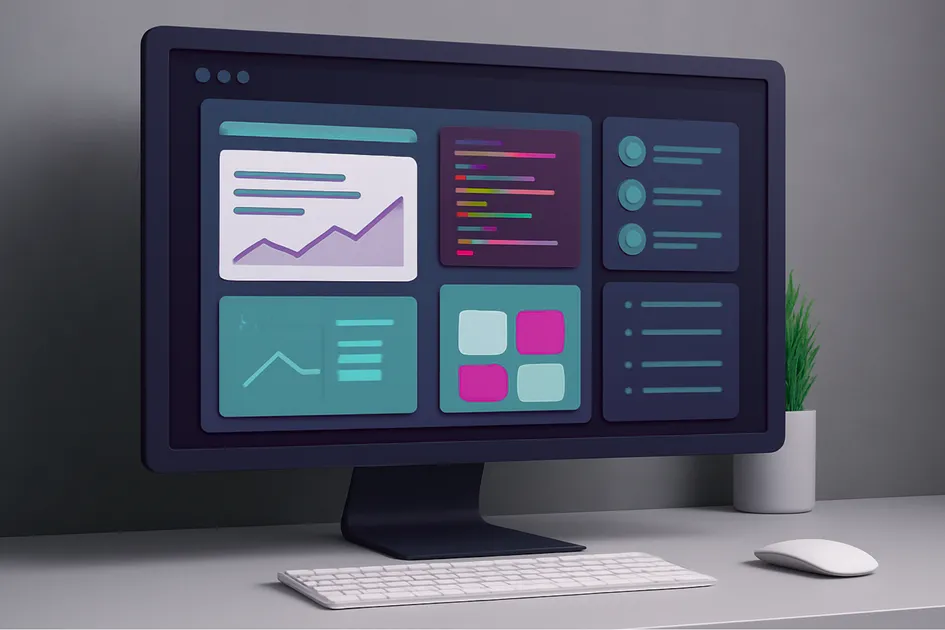
Publishers juggle countless specialised tools - analytics, content planning, workflow coordination, media management - the list goes on. And while each tool has its purpose, each also lives in a separate browser tab or requires a separate login.
Switching between them constantly breaks focus and drains momentum. Each platform-action takes perhaps 10 to 15 seconds, but multiply those seconds by dozens of actions per day, across dozens of editors, over months and years, and you've built a productivity drain that compounds relentlessly. Even your most disciplined editor will feel it.
And it goes beyond just time. When tools live in separate places, the information inside them becomes separated too. An editor checking analytics in one tab, updating a content calendar in another, and writing in a third is mentally stitching together context that should already be connected. The cognitive cost of that stitching is real, even if it never shows up on a timesheet.
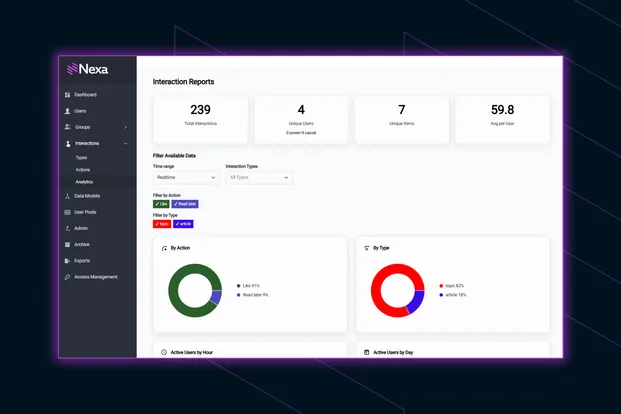
Glide External Apps brings third-party tools directly into the Glide CMS interface, creating a unified workspace. Your analytics, your custom dashboards, your content calendar - all accessible without leaving the CMS. This transforms daily workflows in busy newsrooms which lean on multiple platforms.
Have you ever thought "I wish I could see X without leaving the CMS"? Glide External Apps lets that happen, with the tools looking and functioning like native parts of the Glide CMS platform.
Under the hood, Glide uses iframe embedding to load external applications directly inside a panel within the CMS, so any web-based tool that permits iframe access will look and function as if it were a native part of the platform, with no extra development required. A small number of services may restrict iframe embedding for security reasons, but most modern web applications support it out of the box and means the tools your team already uses can now live where they work.
The setup is straightforward but permission-controlled, so you don't end up with everyone creating random apps without oversight. Administrators configure which external tools are available to which Glide role, and can control whether an app appears in the main left-hand navigation menu or stays hidden, keeping the interface clean for those who don't need it.
For custom applications built by your internal teams, leverage Glide’s authentication mechanism. With no need for a separate login, the system can use your existing Glide credentials to authenticate. The CMS auth token can be passed through, enabling automatic authentication without additional sign-in steps - effective SSO for your internal tools.
There's a security upside to this consolidation too. Editors authenticate once via Glide rather than managing separate credentials for each tool, which reduces the risk of weak or reused passwords across platforms.
The per-app RBAC means sensitive tools like subscriber dashboards, financial data, or commission tracking are only visible to the roles that need them, removing the informal credential-sharing that tends to happen when teams access tools through separate logins.
For organisations that need to track who accessed what and when, a single authenticated interface is also easier to audit than a sprawl of separate accounts. It's worth noting that the embedded tool's own security model still applies within the iframe; Glide controls who can see the app, but what happens inside it is governed by the external tool itself. It significantly raises security oversight.
For organisations moving towards zero-trust security models, the combination of role-based access control, single authentication, and per-app permissions gives security teams the granular oversight they need as a foundation.
Role-based access works the same way as every other Glide feature. Analytics dashboards might be visible to editors and leadership, content calendars to everyone, specialist tools to individuals. You control who sees what. With the new per-app role management capability, that control is now granular to each individual External App.
A new Resource Permissions tab within Section Roles lets administrators manage access on a per-app basis, with assigned roles visible at a glance on the External Apps overview screen and configurable during app creation or update. If you've used Glide's permissions model for articles, collections, or taxonomies, this will feel familiar - the same logic, extended to your external tools.
Embedded tools stay current because they're running live within the CMS. When an editor checks an analytics dashboard or a content calendar, they're seeing the same real-time data they'd see if they opened that tool in a separate tab. No syncing delay and no stale snapshots.
The short answer is: anything your newsroom relies on that can run in a browser. Some common examples include:
Embedding tools in the CMS does more than save clicks.
The compounding effect on productivity
Think about what an editor actually does in a day: write, edit, check analytics, update the schedule, review images, coordinate with colleagues, prepare social posts, check SEO performance. Each of those tasks might involve a different tool. If even half of them can be accessed from within the CMS, the cumulative time saved across a team of 10, 20, or 50 editors is substantial. And every context switch has a recovery cost - reducing those switches keeps people in the flow of their work.
One central hub for publishing operations
Glide CMS becomes the central hub for all your publishing operations. Analytics, planning, coordination, asset management - all accessible from the same interface people are already working in.
Editors touching multiple parts of the operation benefit the most. When writing, image prep, scheduling, and team coordination all happen in one workspace, the small time savings add up into something material. For organisations running multiple titles or brands from a single Glide instance, the effect multiplies further: each brand's tools, each team's dashboards, all accessible from the same place with role-based access ensuring everyone sees what's relevant to them.
Flexibility and extensibility
Glide CMS works with your existing stack rather than forcing you to abandon tools that already work well. Too many platform decisions come with an implicit demand to rip out what you have and replace it with whatever the new vendor offers or recommends. Glide CMS and External Apps takes the opposite approach: if a tool works for your team, bring it in. Custom dashboards your developers built, analytics platforms that suit your needs, internal tools that keep the operation running - they can all live inside Glide CMS.
Your investment in existing tools is protected. All the configuration, training, and institutional knowledge your team has built up around those tools carries over. The cumulative cost saving is real too. Fewer standalone tool subscriptions, reduced onboarding overhead as new staff learn one interface rather than many, and less time lost to context switching, which all adds up across a team and across a year.
Historically, the tools publishers depend on have lived outside the CMS, forcing teams to constantly switch between platforms and tabs just to get their job done. Glide External Apps pulls them into the centre of the workflow, where editors already work. The effect is cumulative. An editor who can check analytics, review the schedule, browse an asset library, and write an article without leaving the CMS is an editor who can do more with greater targeting. Multiply that across a team, across a year, and you're looking at meaningful shifts in how newsrooms operate.
Fewer tabs, faster decisions, and a CMS that reflects how modern publishers actually operate.
Bring your tools together into one workspace and keep your editorial team stay focused on what they're there to do: make things people want to know about.
To learn more about Glide External Apps and how to integrate your essential tools into Glide CMS, or to see the platform in action, connect with a Glide product specialist.
Related Articles:
No matter where you are on your CMS journey, we're here to help. Want more info or to see Glide Publishing Platform in action? We got you.
Book a demo
