 Products






Ready to get started?
No matter where you are on your CMS journey, we're here to help. Want more info or to see Glide Publishing Platform in action? We got you.
Book a demoMost newsletter lists live inside an email platform, cutting if off from everything else an organisation knows about its readers. Glide Nexa allows you to keep newsletter lists as known users on a single profile alongside all their other information, centralizing data and making sure it never fall out of sync with user updates or changes.
For most organisations, newsletter lists live inside an email platform or newsletter platform itself. They holds the addresses, status, sign-up dates and any unsubscribes, and the rest of the business sees an export to compare to previous reports or other figures from the business. Very often in this scenario, a newsletter sign-up who may already be paying for a subscription, or who comments on articles and gives feedback in polls, only shows up in the newsletter data as an email address and with no indicator they are in fact a paying customer.
It's a clunky arrangement, and it has knock-on costs. Commercial teams can’t match people to offers or deals without matching lists and moving data from place to place, and possible sponsors or advertisers get a much smaller picture of who the audience might be. Meanwhile moving to a new email or newsletter platform means migrating the whole audience lists along with the analytics - often not matching with the new platform's analytics - and the most complete record of who signed up, and when, sits in a system outside your control and which may have its own intended uses of your audience data.
The Glide Nexa audience interaction platform ties each user’s identity, interactions, preferences and access to a single profile your organisation owns, concentrating your first-party data not weakening it. Each newsletter audience becomes a group and every subscriber is a known user with a profile in Nexa, data which you own. The email platform handles delivery, while Nexa holds the audience as first-party newsletter data.
This Glide Nexa expert guide is for audience, membership, and lifecycle teams who want one record of each subscriber that the rest of the business can use.
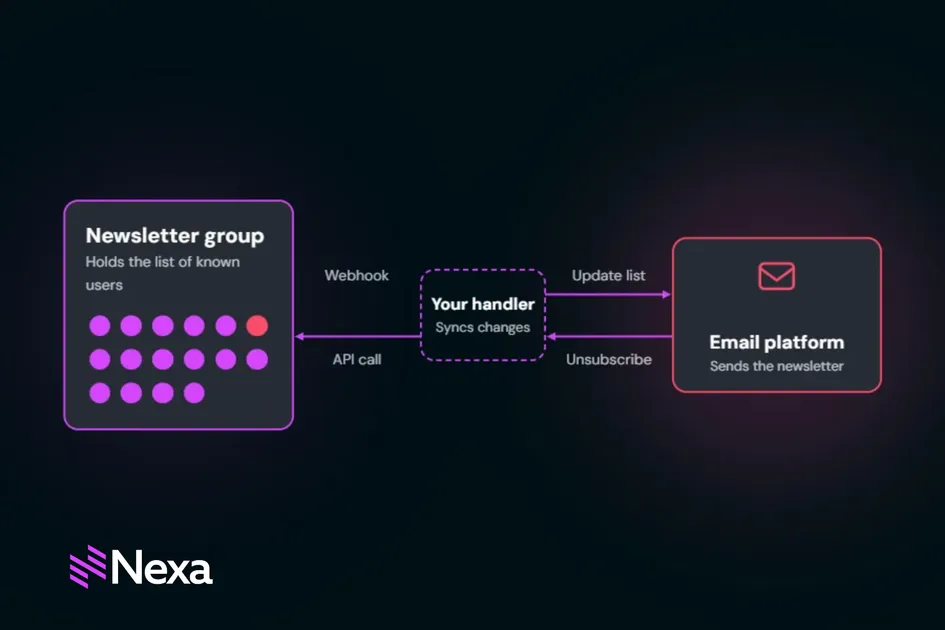
In Glide Nexa, each newsletter audience is a group of known users, and Nexa emits a webhook whenever its membership changes. The setup has four parts:
Subscribers manage their newsletter membership from an account area on your site or app. Because the lists live in Nexa, the email platform works as the delivery engine, and so changing platforms means only connecting it to Nexa to continue distribution - no mass migrations from one system to another and setting up new templates and rules.
In task workflows, here’s what looks after what:
| Task | Handled by |
| Hold the master list and subscriber profiles | Glide Nexa |
| Emit an event when someone joins, leaves, or expires | Glide Nexa |
| Receive the event and updates the email list | Your handler |
| Send the newsletter | The email platform |
| Report an unsubscribe inside an email | The email platform's webhook |
| Pass the unsubscribe back to Nexa | Your handler, through the Nexa API |
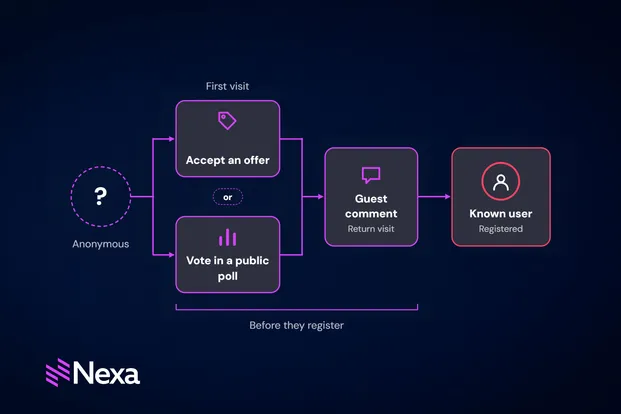
People may join a newsletter group through an offer you create for them, a conversion opportunity set up in Nexa.
Nexa’s Offers conversion engine does most of the work, and looks for the right message for the right audience. A "subscribe now" deal pop-up on content pages can target readers who aren’t in the newsletter group yet, so current subscribers never see it. When a person clicks, the offer’s actions run in order: create the user, add them to the newsletter group, and record the conversation.
The account can be created silently and attached or not to a welcome email, and if they later register more fully they would already have a profile in place
Consent stays explicit: a checkbox in the offer can gate the action, and for anything tied to an event or campaign, the specific offer’s add-to-group action can set a membership expiry date, so subscribers leave the group automatically when it ends, brilliant for teaser campaigns or event-based sign-ups.
Organisations moving an existing list into Nexa can bulk-add its subscribers to the newsletter group. Keeping consent info in Nexa means any future change of email or newsletter platform does not purge all your collected consent decisions - Nexa retains them in one place.
Sync starts with Nexa’s event system. A webhook channel listens for group.member_added, group.member_removed and group_membership.expired, filtered to the newsletter groups. Nexa emits these events but doesn't update the email platform itself. Each one goes to an endpoint the organisation controls, where a handler it sets up updates the list.
Every webhook request carries an HMAC signature in the X-Nexa-Signature header, so the receiving system can confirm where it came from. Each delivery is logged with its status and any error message, so a failed sync shows up immediately. A test action on each channel sends a sample event before any real subscriber data flows.
The return direction needs planning too. A subscriber who clicks unsubscribe inside an email does so in the email platform, firing the email platform's webhook to let Nexa know to remove the subscriber from the group so the lists do not drift apart.
With both directions connected via your organisation's handler, the two lists stay in step and the email platform sends only to the master list Nexa holds.
Nexa’s tracking links cover content delivered outside the website, including newsletters and push notifications visible to admins in the Tracking Links section under Interactions in the platform admin.
A newsletter needs one tracking link and one tracking image, embedded once in the template. By default, Nexa records each click or open with the same method it uses to track anonymous visitors, so the activity stays anonymous. To attribute it to a known person, the sending platform passes an identifying value for each recipient when it sends the email. That value can be an email address, an account ID or the separate reference number Nexa gives every user. When it matches an existing account, Nexa attributes the click or open to that person. The Tracking Links screen shows how many hits resolved to a known person and how many stayed anonymous.
Use the reference number rather than an email address. Anyone the email is forwarded to can read the link, and Nexa can reissue the number if a link leaks.
Targeting across offer conversions and polls
Because each newsletter is a group, Nexa’s offers conversion engine and polls can target it more accurately. An upgrade offer can go to the right people who may be, for example, in a weekly analysis newsletter group but hold no subscription. A feedback survey or Q&A-type poll can go to one specific newsletter’s subscribers and no one else.
A fuller subscriber profile
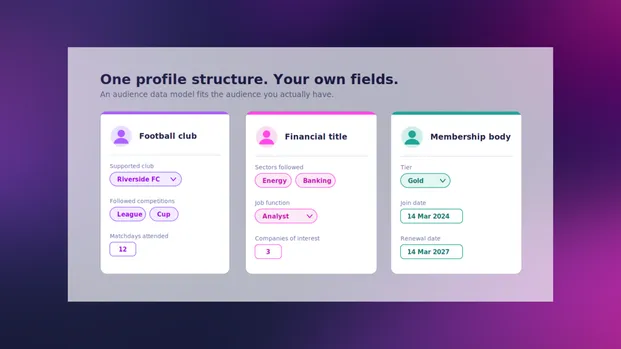
The newsletters a subscriber chooses are declared preferences, stored alongside their follows, interactions, and subscriptions.
Data that is yours
Subscriber data exports as CSV, JSON or XLSX, with field selection and permission controls, for reporting, partners or another system. Nexa does not retain, use, or withhold any of your audience data from you.
A newsletter sign-up in Nexa joins a profile the organisation holds, and every later interaction adds to it.
Deployment and licence
The pattern works with any email platform whose API can add and remove subscribers. For organisations running Glide CMS, Nexa integrates natively. On other platforms, it deploys standalone and connects through its SDK and REST APIs. Groups, the offers conversion engine, and events are part of the standard Glide Nexa licence.
To explore how Glide Nexa can hold your newsletter audience, connect with a Glide Nexa product specialist.
Does Glide Nexa send newsletters? No. Nexa holds the list and the email platform sends the email. Nexa emits an event whenever someone joins or leaves, and a handler passes the change to the email platform.
Which email platforms work with Nexa? Any platform whose API can add and remove subscribers. Nexa doesn't connect to email platforms out of the box, so the organisation sets up a handler for the one it uses. Mailchimp is the documented example.
Why are newsletter open rates unreliable? Mail services such as Gmail and Apple Mail Privacy Protection often fetch open pixels through their own servers, so an open can record the mail provider instead of the subscriber, obscuring audience actions.
Do newsletter subscribers need a full account? No. An offer can create the account silently when a person signs up. If they later want to log in, they can then find their newsletter already attached to their profile and preferences.
What happens when someone unsubscribes inside an email? The email platform's webhook only sends a notification, so a handler the organisation sets up receives it and calls the Nexa API to remove the subscriber from the group, so both lists match.
Can I measure newsletter clicks in Nexa? Yes. Tracking links record clicks and opens as interactions. Clicks are the most reliable of the two.
Can I move an existing list into Nexa? Yes. During migration, subscribers can be added to a newsletter group as part of the user import.
Related articles:
No matter where you are on your CMS journey, we're here to help. Want more info or to see Glide Publishing Platform in action? We got you.
Book a demo
